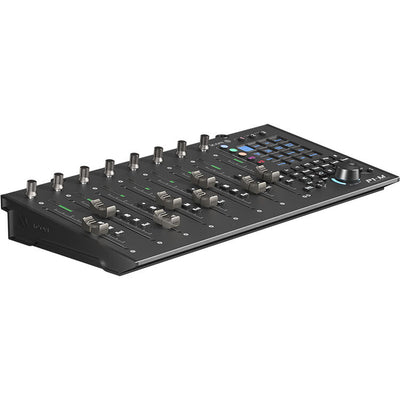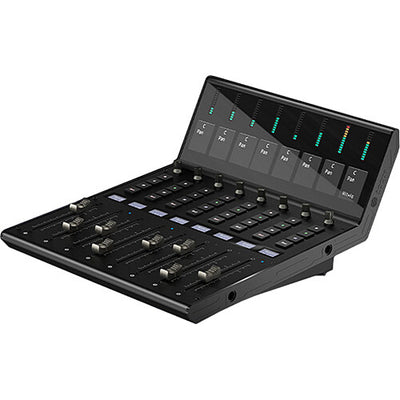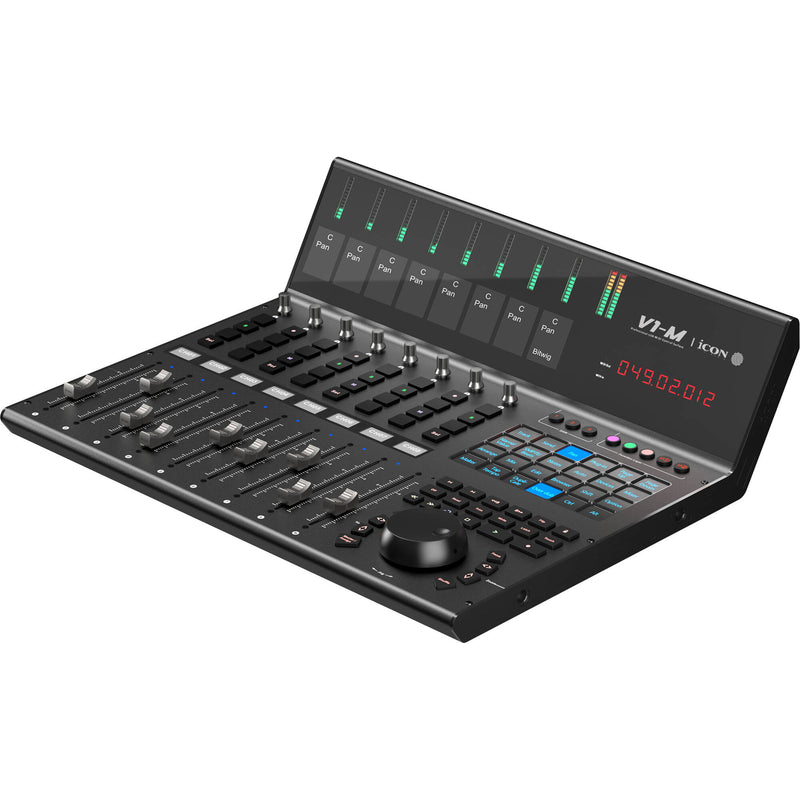
iCON V1-M
iCON V1-M is a high-end DAW controller with 9 motorized faders, 7″ programmable touchscreen, full DAW integration, expansion support, and rugged build.
- 9 Motorized Faders
- 7-Inch Touchscreen
- Multi-DAW Support
- Expandable to 64ch
- TFT Meter Bridge
Fotos
8Anuncios
Aún no hay anuncios de este modelo
Cuando alguien venda un iCON V1-M, aquí aparecerán los anuncios y el historial de ventas.
Vender uno igualDescripción
iCON V1-M – Premium DAW Control Surface with Motorized Faders & Touchscreen
Transform your mixing workflow with the iCON V1-M. This flagship control surface brings tactile precision to your DAW setup, featuring nine touch-sensitive, motorized faders, a vibrant 7″ programmable touchscreen, and intuitive visual feedback—all designed for seamless, professional control.
Key Features
- Nine motorized 100 mm faders: 12-bit resolution ensures smooth automation and mix accuracy.
- 7″ touchscreen with 24 panels: Customizable across 5 color-coded layers—unlocking up to 120 instant functions for your DAW.
- Integrated TFT metering: Channel name, level meters, and pan positions visible at a glance, datadependent on your DAW.
- Extensive DAW support: Compatible with Bitwig, Cubase/Nuendo, Logic Pro X, Ableton Live, Pro Tools, Studio One, Reaper, and more—control up to three DAWs at once.
- Expandable workflow: Connect up to eight-fader extenders (V1-X) to scale up to 64 channels.
- Premium tactile controls: Includes a smooth jog wheel, eight dual-action encoders, LED transport buttons, and timecode display.
- Pro-grade build: Durable metal chassis with Kensington lock slot and USB-C plus footswitch inputs for rugged studio use.
Customer Benefits
Say goodbye to endless clicking. Metro your DAW with physical faders and instant visual feedback, cutting deep into navigation time. Whether you're working on music, post-production, or live content, the V1-M brings your hands—and your attention—back to where it matters most.
Quick Specs
- Faders: 9 × 100 mm, motorized, 12-bit resolution
- Touchscreen: 7″, 24 panels, 5 color layers (up to 120 functions)
- Displays: Main TFT meter bridge; per-channel 1.14″ TFT panels
- Controls: Jog wheel, 8 encoder knobs, transport/automation buttons, timecode LED
- Connections: USB-C (class-compliant), 12 V DC input, 2 × 6.3 mm footswitch jacks
- Weight & Dimensions: ~5.6 kg; **48.5 × 38.45 × 17.8 cm**
What’s in the Box
- iCON V1-M control surface
- USB-C connection cable
- 12 V / 2.5 A DC power adapter
- Quick-start guide and warranty documentation
Use Cases / Ideal For
Designed for music producers, post-production engineers, and studio professionals who demand hands-on mixing, fast navigation, and high-resolution visual feedback—without sacrificing desk space.
Compatibility
Works seamlessly with major DAWs via Mackie Control Universal and HUI protocols. Use the iMAP software to create custom mappings, add LED metering and OLED displays, and scale your system with V1-X expanders for larger projects.
Pros & Cons
✅ Pros:
- Comprehensive tactile and visual control in one surface
- Highly customizable touchscreen boosts workflow speed
- Expandable and rugged, built for serious studio environments
⚠️ Cons:
- Relatively deep chassis—may require desk space planning
- Expandable functionality may increase complexity and cost
The iCON V1-M brings DAW control back to your fingertips with precision, speed, and style—built for professionals ready to leave the mouse behind.
Especificaciones
- Marca
- iCON
- Modelo
- V1-M
- Categoría
- Estudio › Otro equipo de estudio
- Tipo
- Control Surface
- Conexión al ordenador
- USB-C (class compliant)
- Funciones de la interfaz
- Motorized faders, Encoders, Touchscreen, Display, Transport controls, Expression pedal input
- Conectividad
- USB-C, USB
- Alimentación
- USB
- Pads
- 0
- Compatibilidad
- macOS, Windows
- Peso
- 5.6 kg
- Dimensiones
- 48.5 × 38.45 × 17.8 cm